Enrolling in The Tune Room
Select a course from the COURSE LIST page. Once you have checked out with payment, you will be directed back to a list of the courses in which you are enrolled. Alternatively, make sure you're logged in, then select the course in which you enrolled from the top menu.
Logged in but not subscribed?
If you previously had an account at The Tune Room and your subscription has lagged or was cancelled, you can still login. However, you will not have access to course lessons until re-subscribed to The Tune Room or Tune Room PRO, or have purchased the non-subscription course, Absolute Beginners Fiddle Series.
When logged in, you may see individual courses listed in the main menu at the top of the website. You can browse to the course pages, however you will see the NOT ENROLLED notification and the TAKE THIS COURSE button.
See below on how to restart your subscription, or if you never had a subscription, simply select the TAKE THIS COURSE button or browse to the COURSE LIST page and make a course selection. Proceed with payment.
Restarting a Subscription
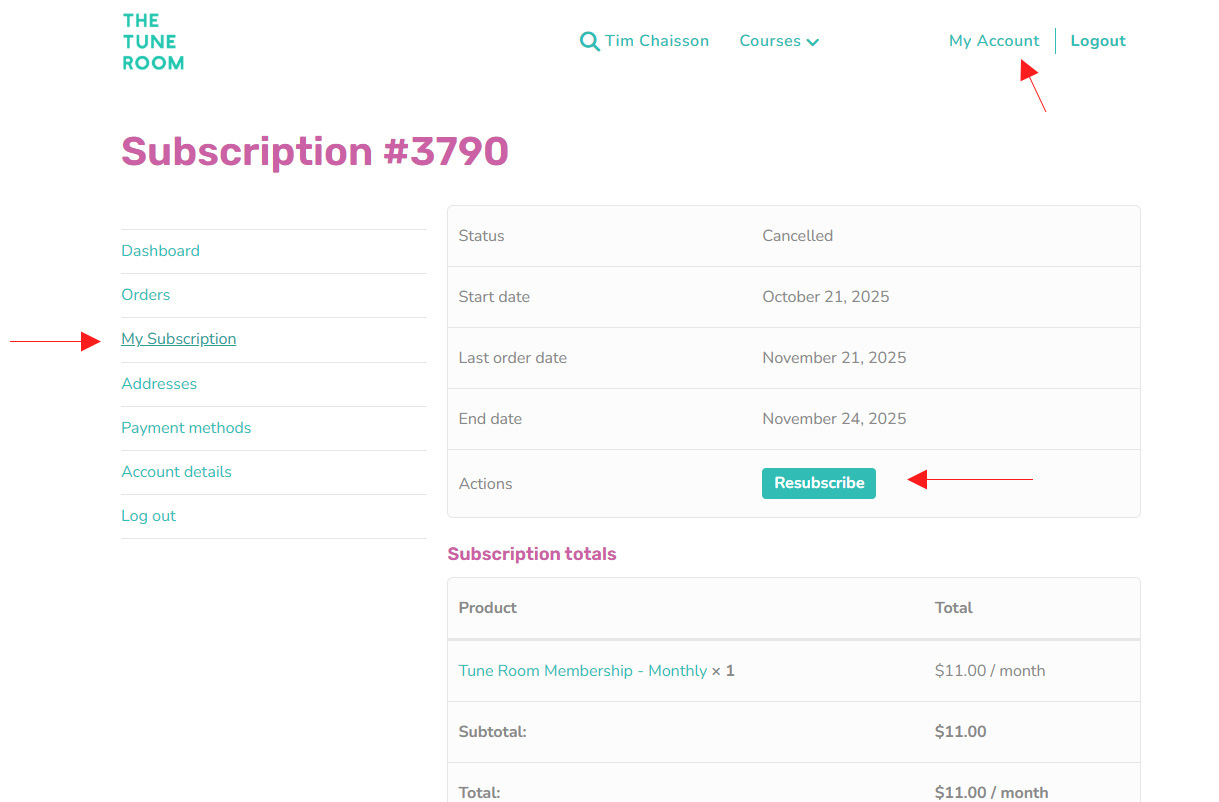
If your subscription has lagged, a payment was missed, or you previously cancelled your subscription, you can restart it by logging in and selecting MY ACCOUNT.
Under MY ACCOUNT, select 'Subscriptions' then the RESUBSCRIBE button. You will be lead through the payment checkout process which will restart your subscription.
All previous lesson progress will still be saved, so you can pick up where you left off.
How to Use The Tune Room Lessons
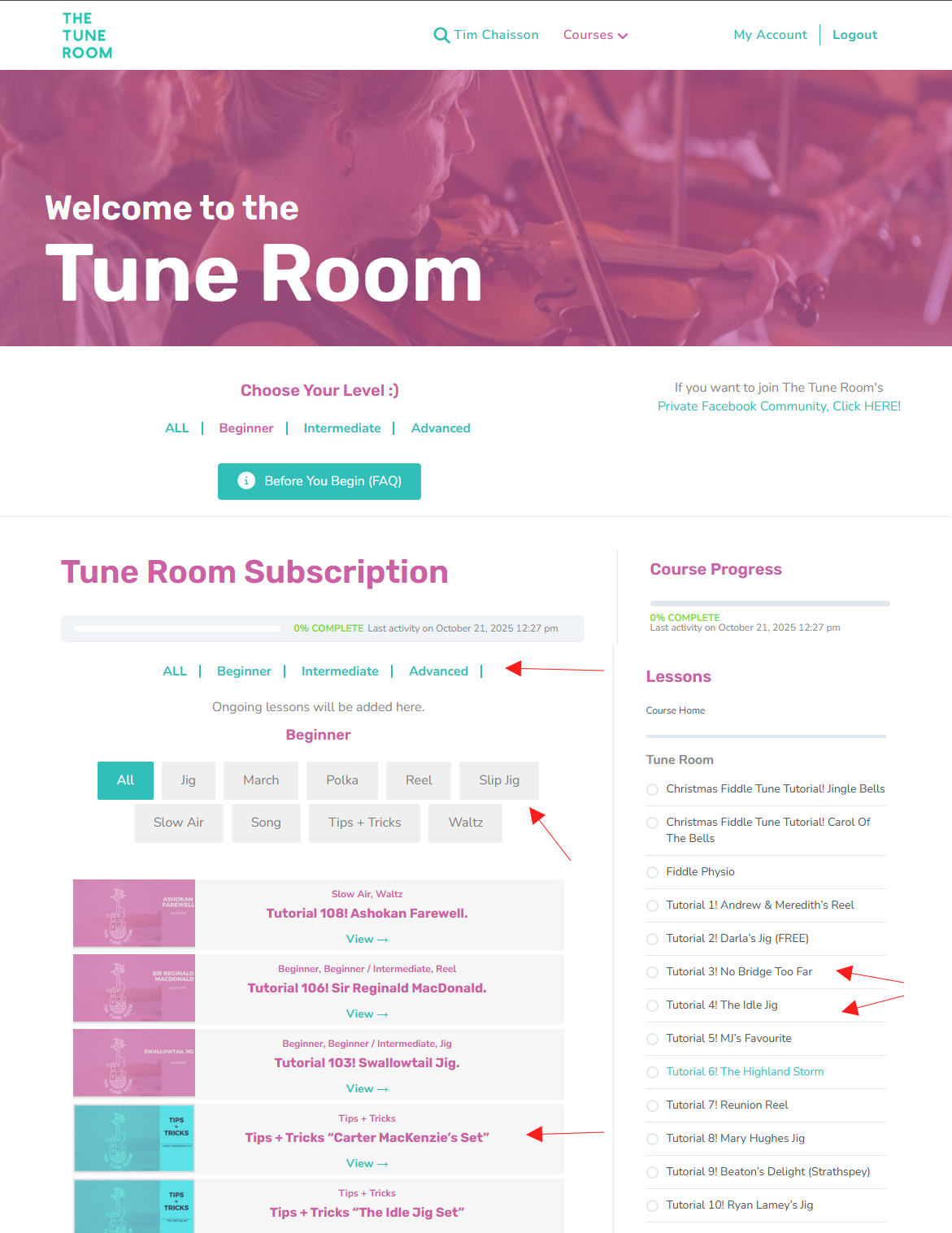
- Start a course by selecting a lesson from the COURSE PROGRESS column on the right, or from the sorted list of lessons in the main area.
- Lessons are sorted by BEGINNER, INTERMEDIATE, and ADVANCED, and are further categorized by music type. They can be accessed in any order you choose, or repeated if desired.
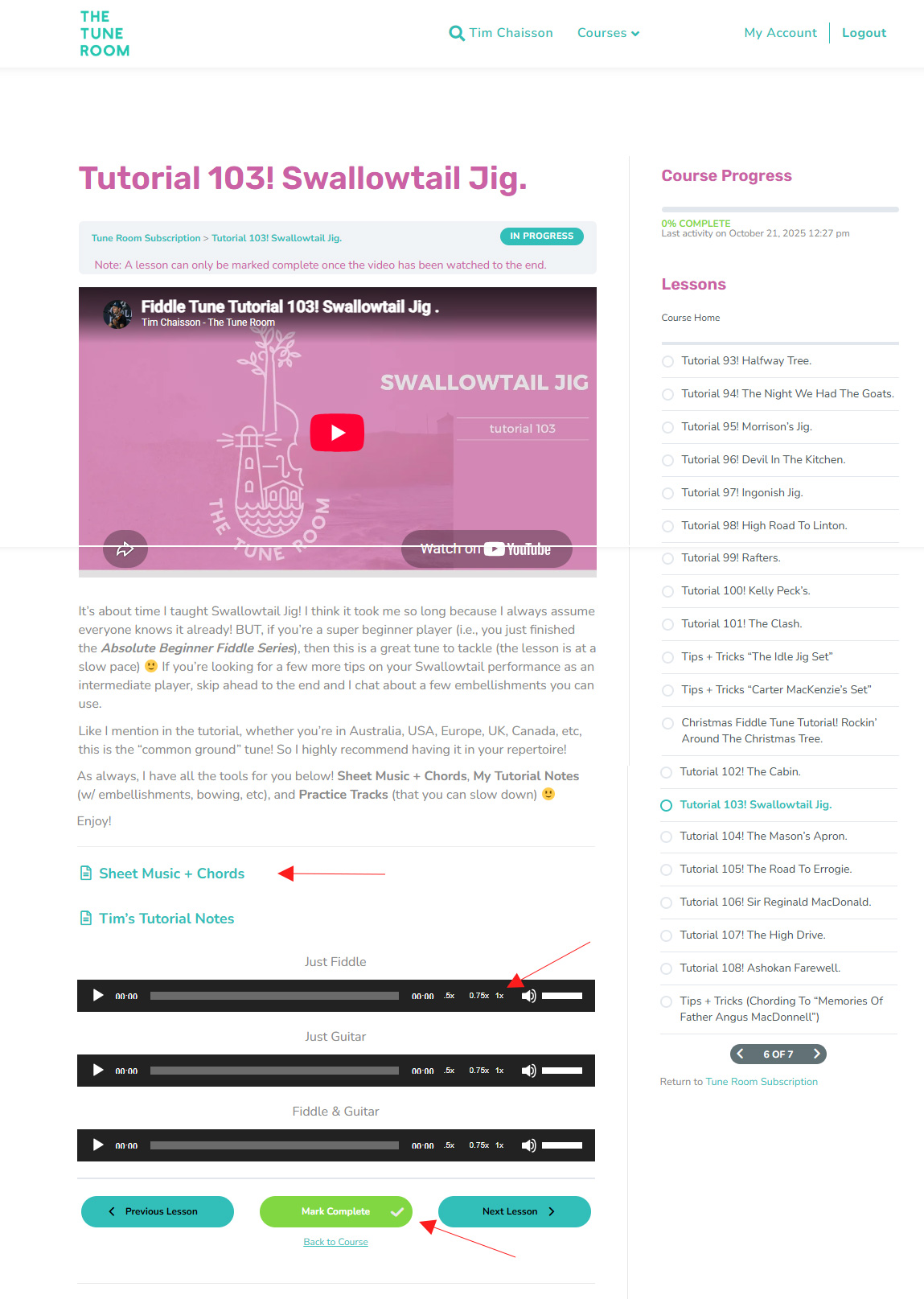
- In each lesson you can watch and play along with its accompanying video. You can pause a video or move the playhead anywhere in the video playback.
- There are also sheet music, notes, and audio files. Some audio files play fiddle only, or guitar only. Note that you can change the playback speed of audio files so you can play along at your own speed.
- A lesson will not be marked as complete until the accompanying video is played in full. (See the MARK COMPLETE button at the bottom of each lesson page, which turns green when the video has been fully played).